TODAY'S EVENT: Nate Miller, API v2 & Zapier

The Rotor API just got a major upgrade, it has its own home in Settings, and Zapier is easier than ever to connect with expanded capabilities. Before getting into what’s new, there’s a big event today you won’t want to miss….👀
🚨 LIVE EVENT TODAY 🚨
November 16th, 4 PM PT (5 PM MT, 7 PM ET)
Nathan Miller - Glide Window Cleaning
Nate Miller is the CEO of Glide Window Cleaning, a company doing $12M+ in recurring revenue.
Today he is sitting down with us live to break down how he scaled Glide and the mistakes to avoid, and he’ll be taking your questions in a live Q&A. As a bonus, he’s giving away a scaling playbook to everyone on the call. There is going to be a ton of value on this call. We cannot recommend enough that you carve out the time to make it!
If you’ve registered, keep an eye on your inbox. We’ll send the webinar link later today.
Share it with your friends, the more the merrier. We sponsored to open up this opportunity for everyone!
👉 REGISTER HERE: https://forms.getrotor.com/f/glideceo/
The New Developers Tab
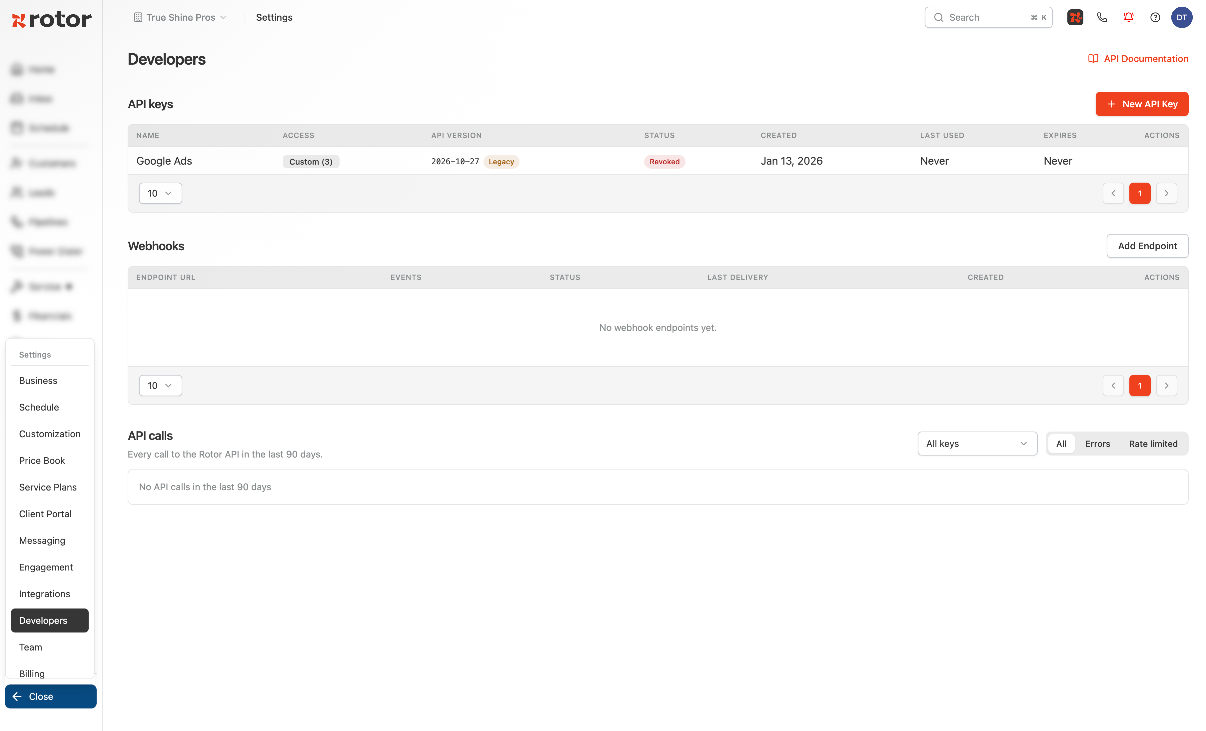
Go to Settings → Developers to manage everything API in one place:
API keys: create, track and revoke keys, with each key's access, API version, last used date and expiration
Webhooks: add endpoints and pick which events they get
API calls: see every call to the Rotor API from the last 90 days, and filter to just Errors or Rate limited to find problems fast
Improved API Key Access
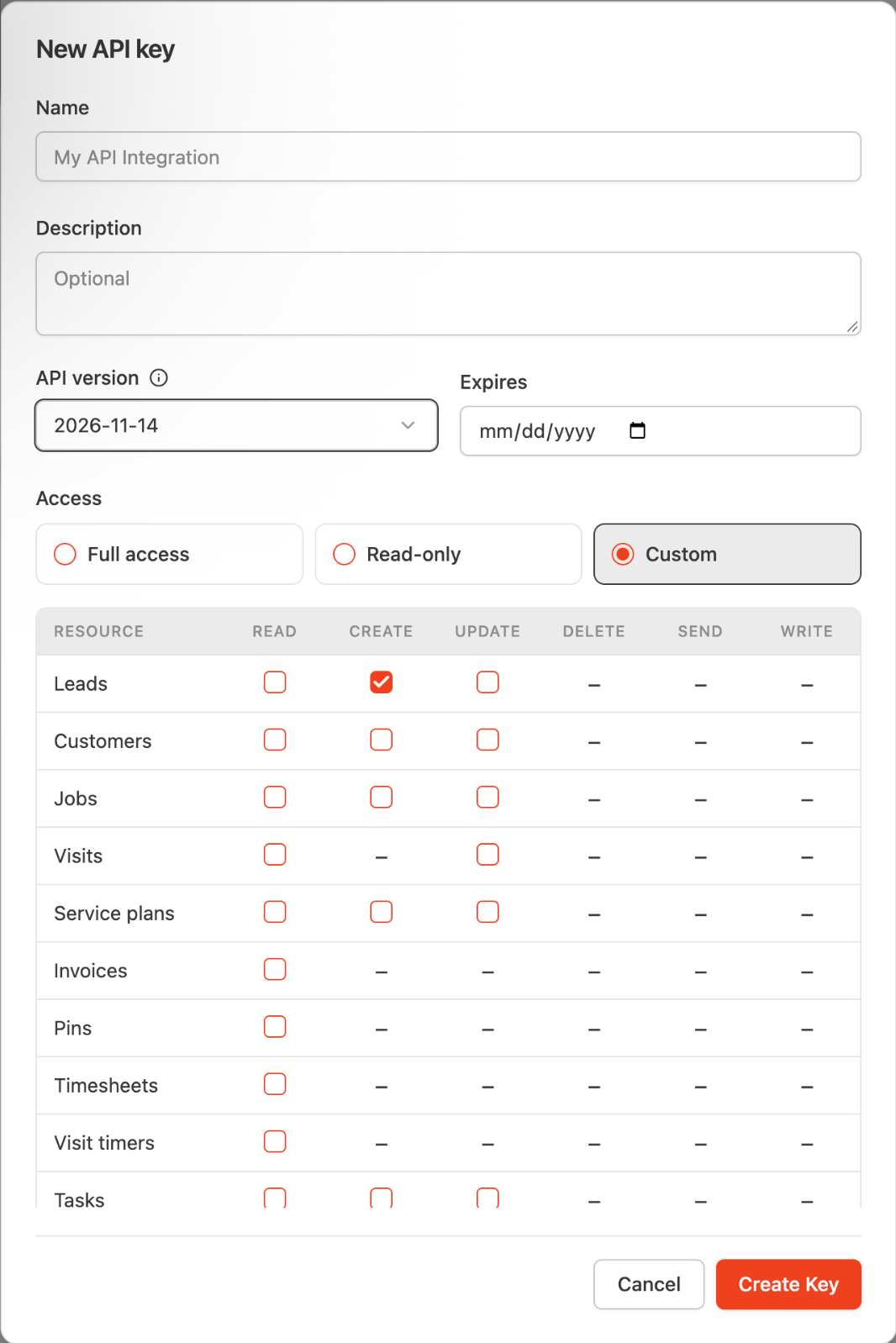
When you create a key, choose its access level:
Full access: every scope is included automatically. No boxes to check
Read-only: read your data without changing anything
Custom: pick exactly what the key can do for each area, like Leads, Customers, Jobs and Visits
You can also pick the API version and set an optional expiration date.
Webhook Events
Send data to your other tools the moment something happens in Rotor:
lead.created: a new lead is added
customer.created: a new customer is added
message.received: a customer texts you
job.completed: a job is marked complete
Improved Zapier Connection
Connect Zapier straight from Settings → Integrations. No Developers tab or API key needed.
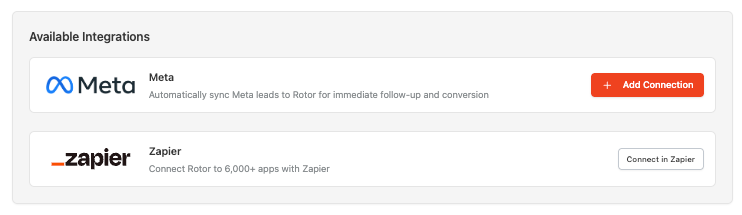
Rotor still shows as Invite Only on Zapier for now. Just use the Zapier link on your Integrations page and it will invite you automatically. Already using Rotor on Zapier? Reconnect through your Integrations page to get the new version.
Learn more about Zapier:
https://helpcenter.getrotor.com/en/articles/0722688-zapier
New API Docs Home
Our API docs have moved to the Rotor Help Center. The old docs link no longer works, so update any bookmarks:
https://helpcenter.getrotor.com/api-reference
Using a key made before this update? It keeps working on the older API version. To use everything new, create a new key in the Developers tab. See what changed in the API Changelog.
Learn more about the Developers tab:
https://helpcenter.getrotor.com/en/articles/6330652-developers-api-keys-webhooks-and-logs
Review the Latest Updates
Log in to Rotor and review these updates and articles with your team. Reach out to us directly via our in-app support with any questions and we are happy to coordinate.
Keep in touch!
If you’re curious about Rotor or would like to learn more, we’d love to meet you! We feel super blessed to work alongside such a great industry and love helping our companies succeed.
👉 BOOK TIME WITH US: https://calendly.com/noah-getrotor/30min
Follow the journey on Instagram @get_rotor
Have feedback on any of these? We want to hear it. Reach out through the Discord community, the in-app chat, or email us at support@getrotor.com.
- The Rotor Team