Updates

Follow new updates and improvements to Rotor.

September 17th, 2026

New

Improved

We’ve made SEVEN major updates to Rotor designed to give your customers more ways to pay and get help, and to give your team more control over scheduling, automations and payroll.

Klarna Payments

Customers can now split an invoice into Klarna installments at checkout. Klarna appears alongside Card and Google Pay in the client portal, and eligible invoices can be paid in 4 interest-free installments every 2 weeks.
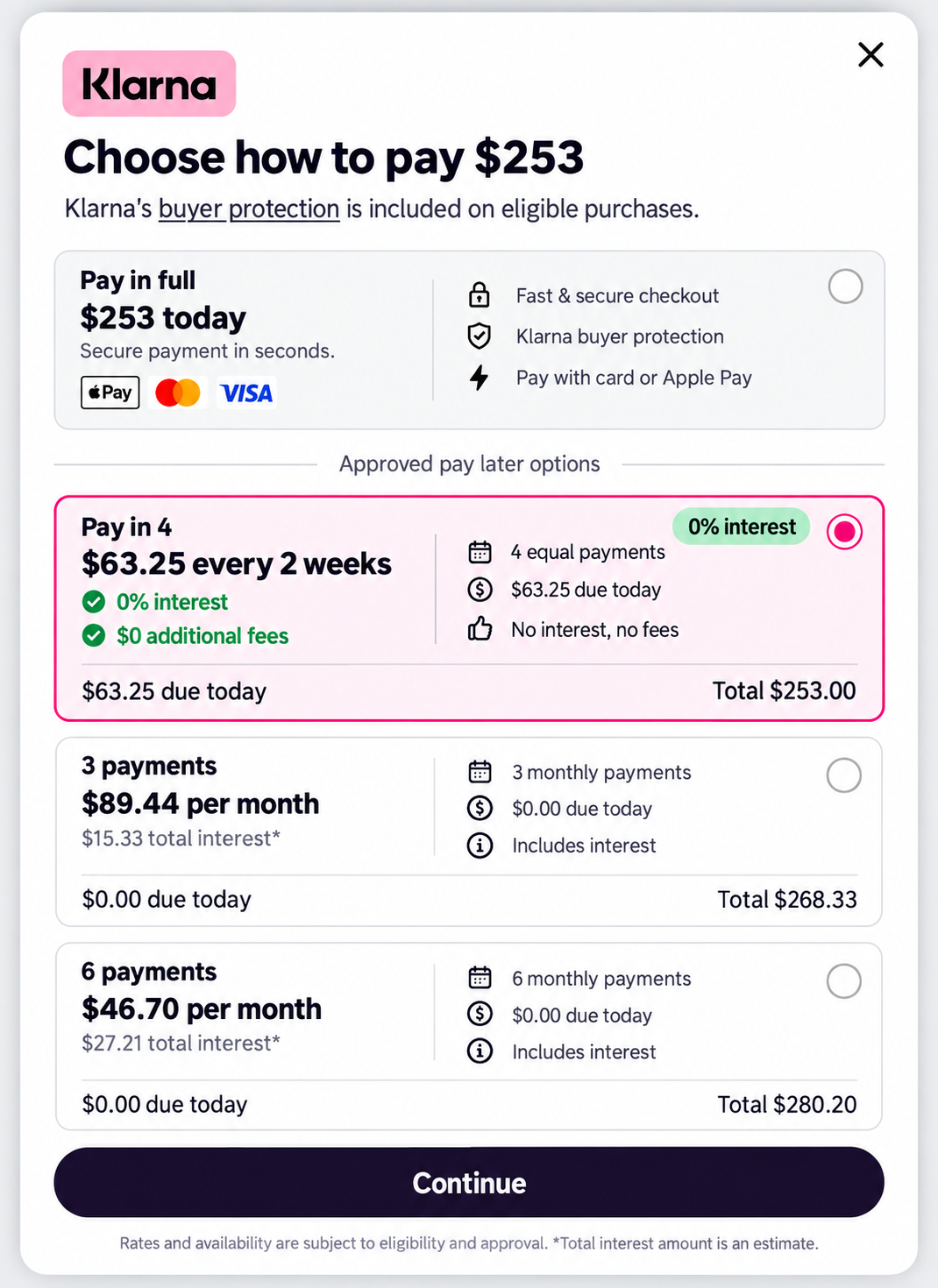

Klarna transactions are charged at 6.5% + $0.30 per transaction.

What this gives you:

  • Another payment option at checkout for larger invoices

  • Customers pay over time while you are paid up front

  • Available across the client portal, web and mobile apps

To turn it on: go to Settings → Client Portal, enable Accept Klarna Payments, then scroll to the bottom of the page and press Save. The toggle will not take effect until you save.

Learn more about Klarna: https://helpcenter.getrotor.com/en/help/articles/2258913-klarna-payments


Support Ticket Portal

Support tickets now have their own page in the portal on web. If you would rather not go through the chat bot, you can go straight to the Tickets tab and submit one with New Ticket.
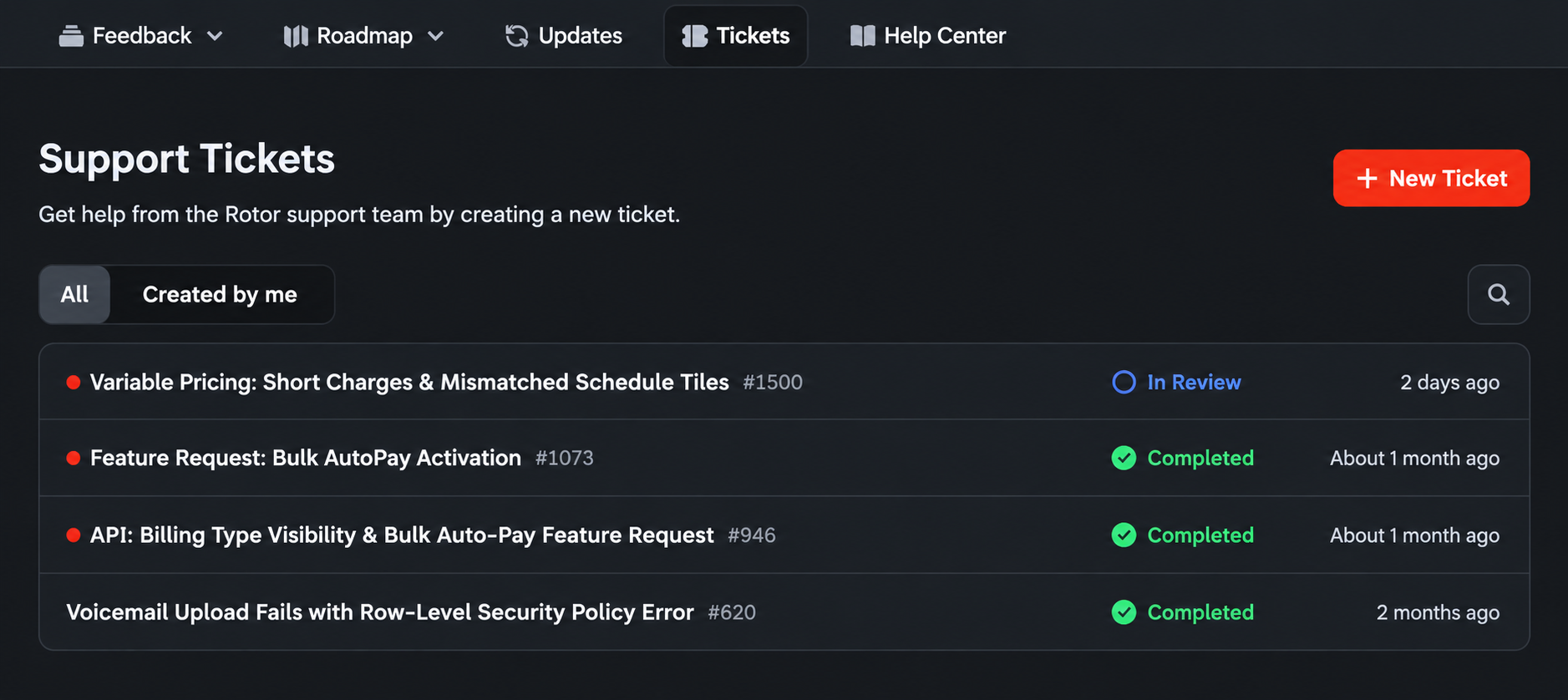
The ticket portal makes it easier to:

  • Submit a request directly without using the chat bot

  • See outstanding and resolved tickets in one place

  • Check the status of anything still open

  • Reference past tickets and what was completed


Phone Number Nicknames

If you manage more than one phone number, you can now give each one a friendly nickname so your team can tell them apart at a glance. Nicknames show up in the Inbox alongside the number.
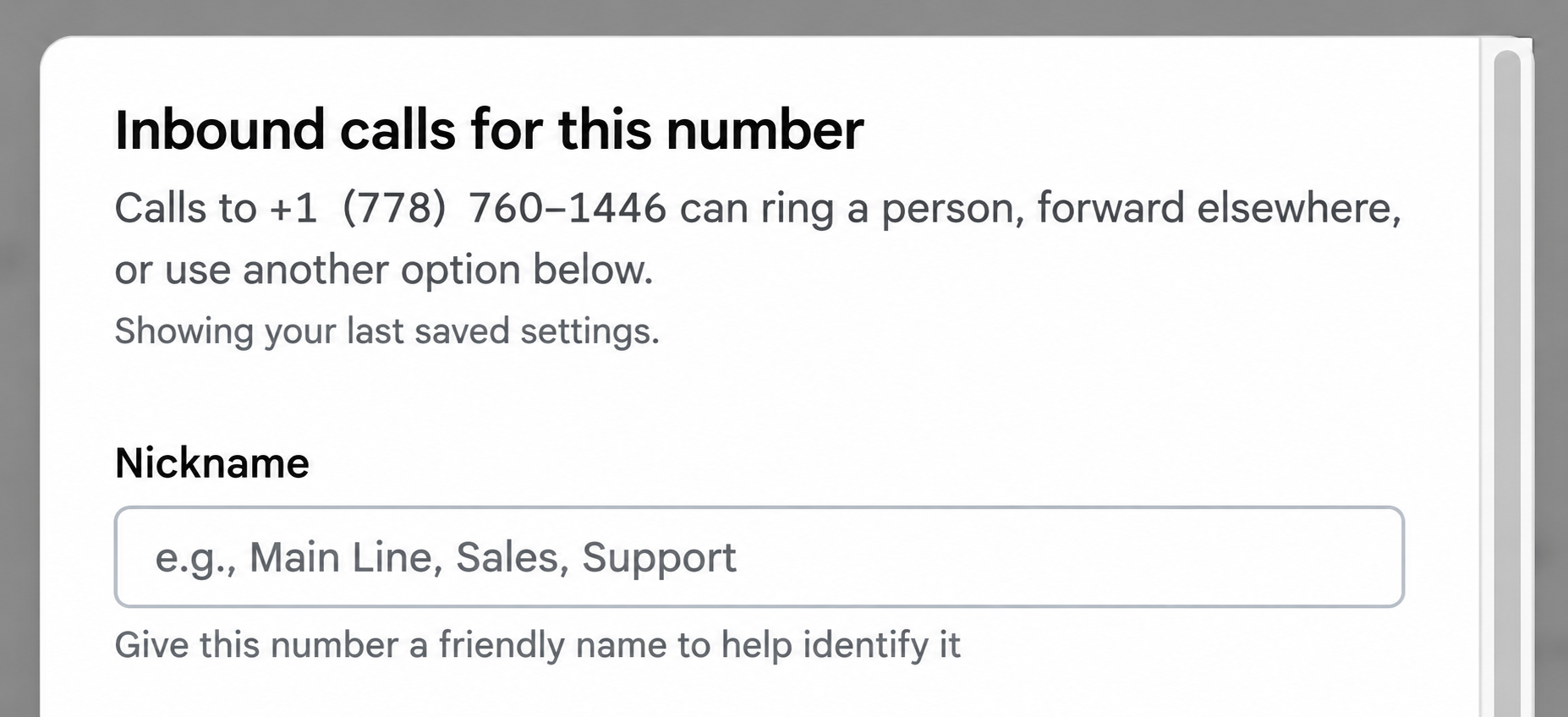
Nicknames help you:

  • Label numbers by purpose, such as Main Line, Sales or Support

  • Identify which number a call or message came in on

  • Manage multiple numbers without memorizing them

To set one: go to Settings → Engagement, select the number, and enter a Nickname.


Checklist Photos on the Customer

Every photo your team adds to a job checklist now shows up on that customer’s record, so you have a running visual history of the work without digging through individual jobs.

Each photo shows:

  • Who added it

  • A button that takes you straight to the job it came from

This makes it easier to answer questions about past visits, verify work that was completed, and see how a property has changed over time.

We also fixed a bug relating to technicians still being able to complete a job when the job checklist was forced to be completed first.

Learn more about Job Checklists:

https://helpcenter.getrotor.com/en/articles/4845015-job-checklists


Custom Frequencies - LIVE ON WEB

You can now set a custom cadence on recurring work on web instead of picking from the preset list. Enter a number in the Every field and choose Day(s), Week(s) or Month(s) — for example, every 6 weeks.
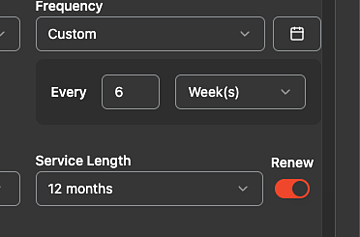
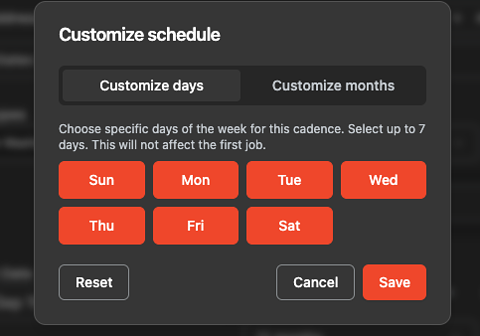
On daily cadences, click the calendar icon next to the frequency to open Customize schedule and choose which days of the week the plan runs. You can select up to 7 days. Day selection does not affect the first job — it applies to the recurring jobs that follow.
These changes will be live on mobile as well with the next App update.

Learn more about Service Plans:

https://helpcenter.getrotor.com/en/articles/3625554-service-plans


Remove from Pipeline

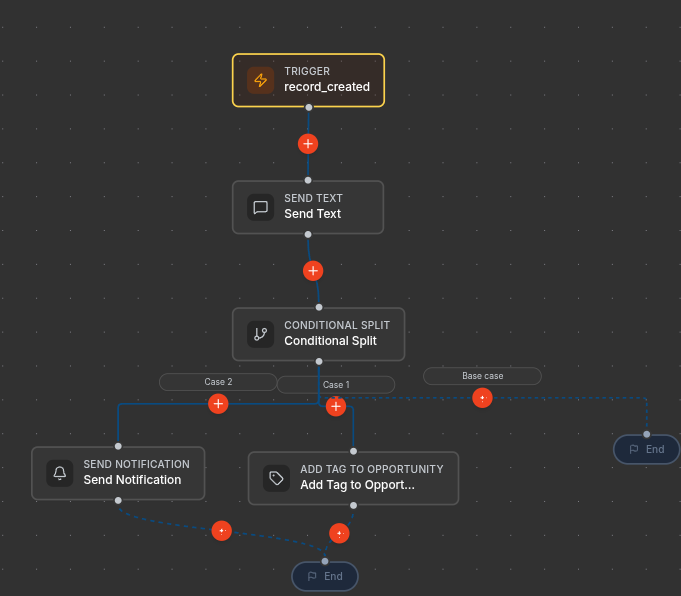
There is a new automation action: Remove from Pipeline. It archives the triggering opportunity and takes it out of its pipeline, with no configuration needed. It is only available when the workflow trigger is an opportunity.
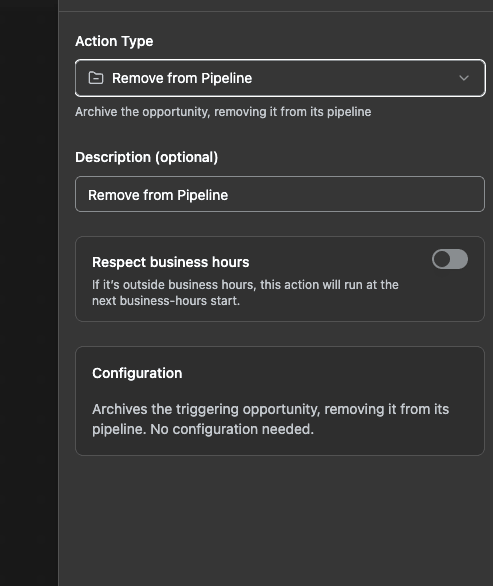
Remove from Pipeline action settings

Learn more about Workflows & Automations:

https://helpcenter.getrotor.com/en/articles/9225600-workflows-and-automations


Payroll Updates

Four changes to how payroll calculates and displays pay.

1. Multi-tech jobs no longer split before commission. When more than one technician is on a job, the job amount is no longer divided between them before the commission rate is applied. Each technician earns their rate on the full job amount.

2. New rate modifier for shared jobs. There is now a Technician count condition on commission rate modifiers, so you can add or subtract percentage points based on how many techs share the job.
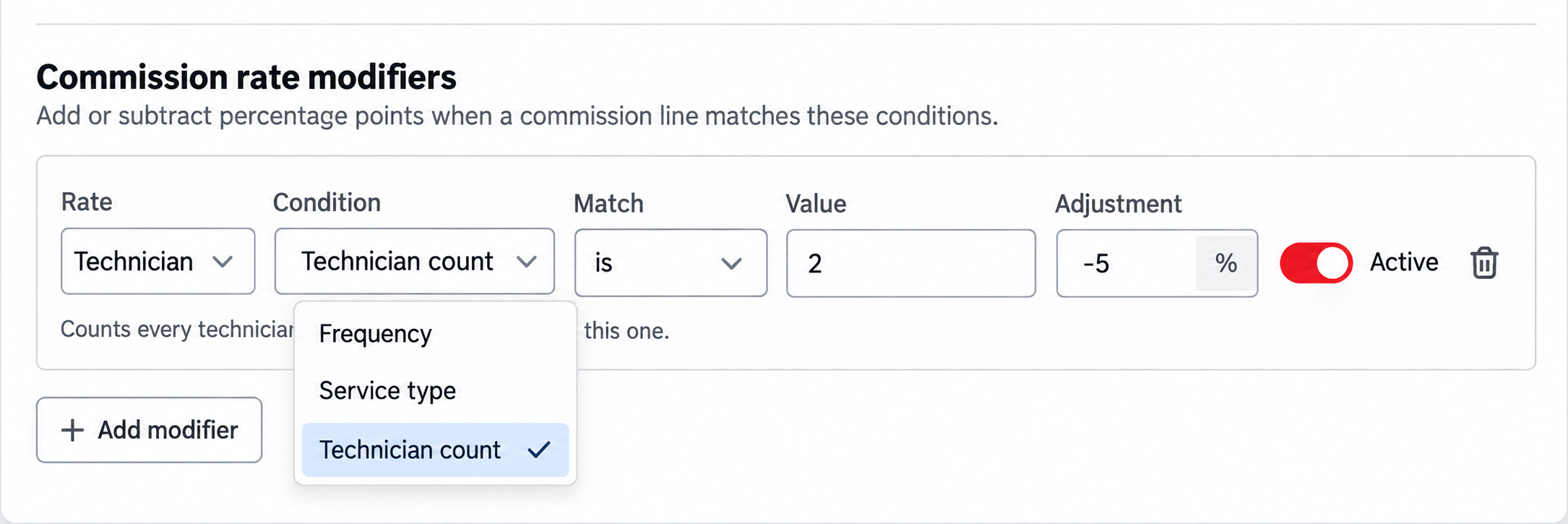
3. Tips are payable on payroll. Tips now appear as their own payable rows and can be paid out alongside commission.

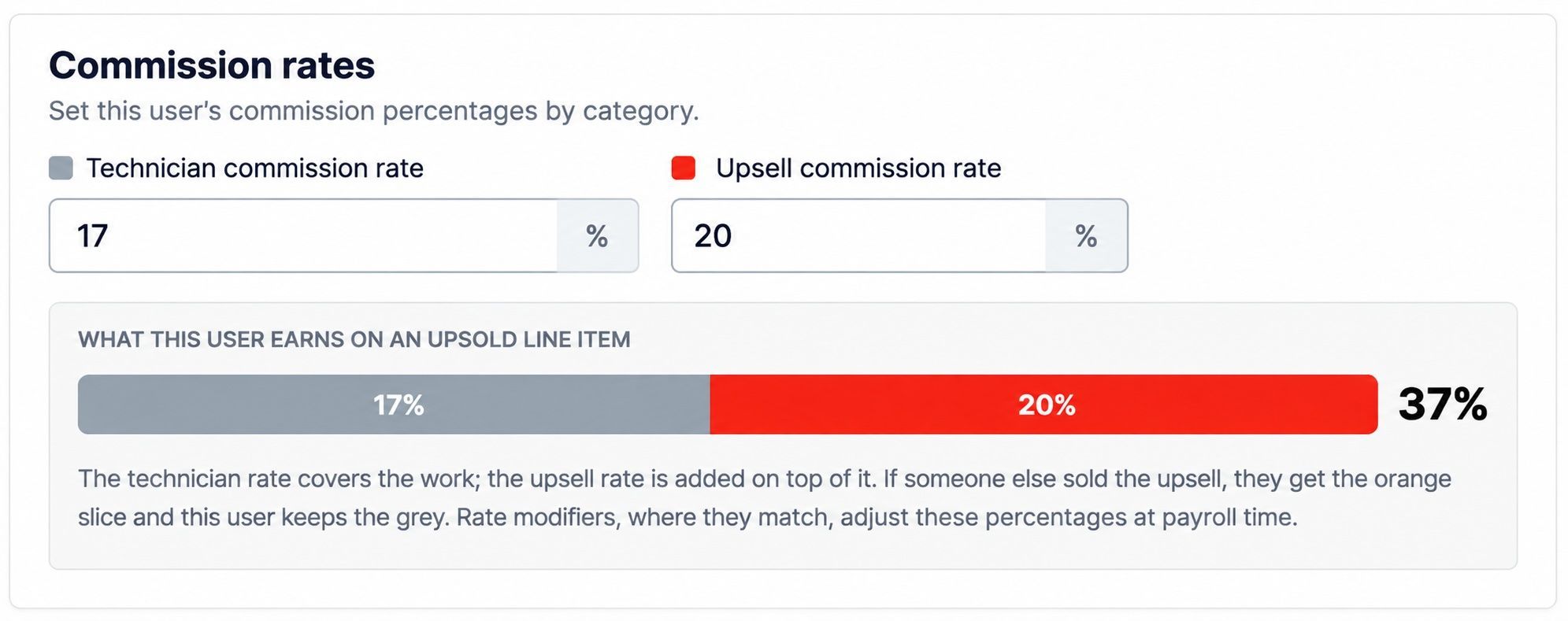
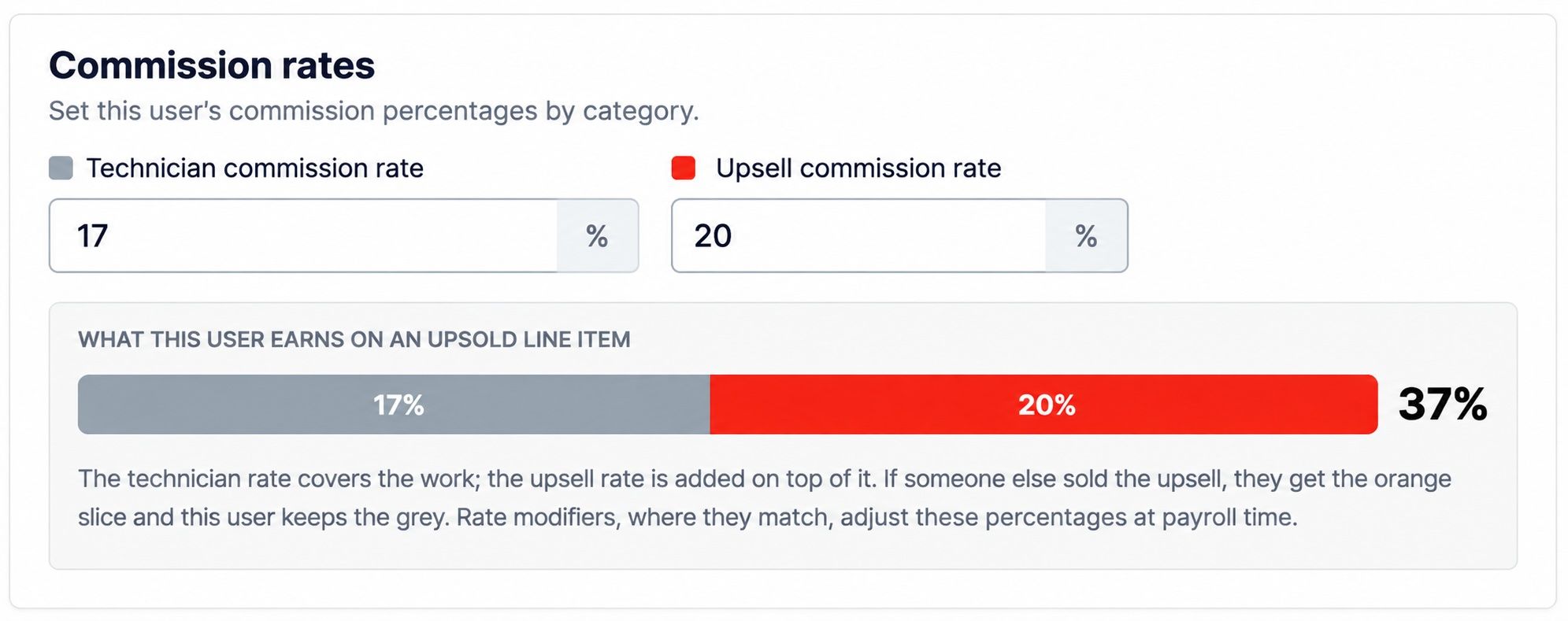
4. Upsell rate clarification on Rate Settings. Rate Settings now shows a breakdown of what a user earns on an upsold line item. The technician rate covers the work and the upsell rate is added on top of it. If someone else sold the upsell, that person earns the upsell portion and this user keeps the technician portion.
Learn more about Payroll:

https://helpcenter.getrotor.com/en/articles/4974486-payroll


Review the Latest Updates

Log in to Rotor and review these updates and articles with your team. Reach out to us directly via our in-app support with any questions and we are happy to coordinate.

Keep in touch!

If you’re curious about Rotor or would like to learn more, we’d love to meet you! We feel super blessed to work alongside such a great industry and love helping our companies succeed.

👉 BOOK TIME WITH US:  https://calendly.com/carson-getrotor/rotor-demo


Follow the journey on Instagram @get_rotor

Have feedback on any of these? We want to hear it. Reach out through the Discord community, the in-app chat, or email us at support@getrotor.com.

- The Rotor Team
Write a comment...

September 10th, 2026

Here are the latest product updates plus a new partner for your marketing!

Schedule Send Messages - On Web and Mobile

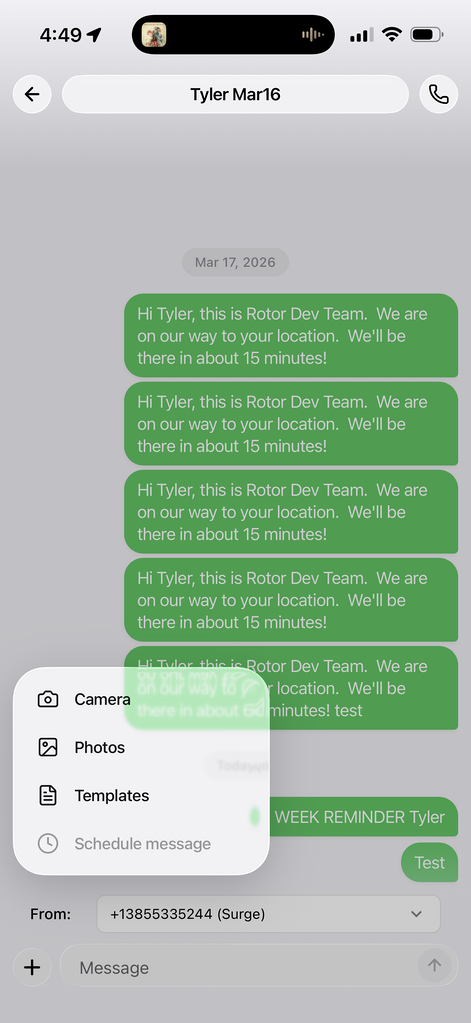
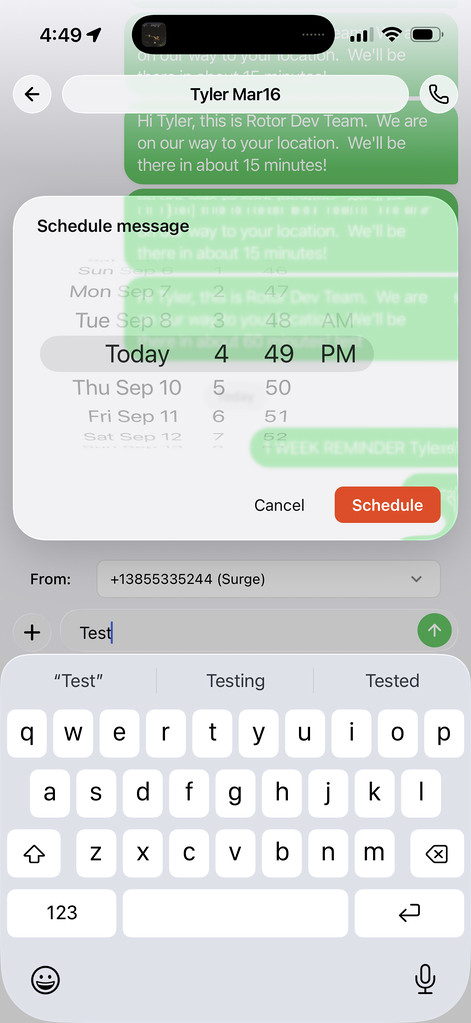
You can now send a message later instead of right now. Write your message, tap the + and choose Schedule Message, pick the date and time, and hit Schedule. Rotor sends it for you.

Handy for:

  • Queuing messages to be sent the next morning

  • Appointment and service reminders set a week out

  • Specific timed follow-ups


Message Templates - Mobile

Your saved templates now come with you. Open any conversation in the Rotor mobile app, tap the “+” next to the message box, and choose Templates to drop in a saved message — no retyping, no switching to a laptop.


Service Plan Cancellation Metrics

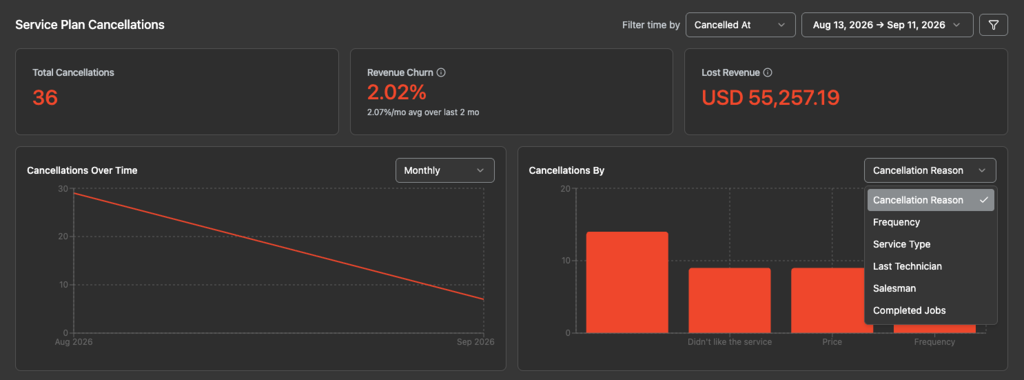
A new Service Plan Cancellations section in Analytics → Overview shows total cancellations, revenue churn and lost revenue at a glance, plus cancellations over time.

The Cancellations By widget is where it gets helpful — switch the breakdown between cancellation reason, frequency, service type, last technician, salesman and completed jobs to see the pattern behind your churn.

As a reminder, you can set Cancel Reasons under Settings → Customization on desktop.


Improved Meta Conversion & ROAS Tracking

We've tightened up how Rotor reports conversions back to Meta, so your ad results and return on ad spend are more accurate. Fewer missed conversions means Meta optimizes on better data — and you get a clearer picture of what your ad spend is actually returning.

Go to Analytics → Meta to now better track “Projected ROAS” and “Actual ROAS” according to whether leads convert into customers as well as how much as been sold and collected. Visit Settings → Integrations to set up how conversions should fire to Meta. You may need to disconnect and reconnect Meta to have this function properly.


Variable Cycle Billing

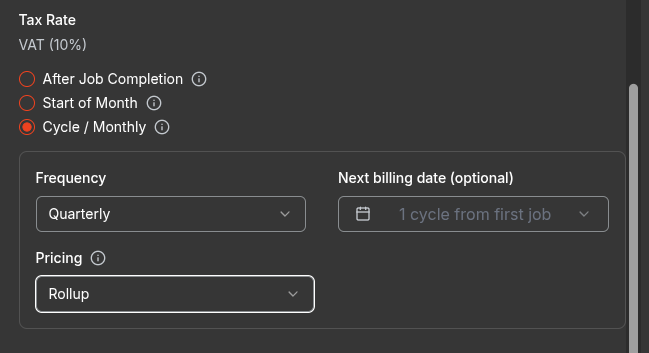
Service plans can now bill from the work itself instead of a price you type in. Rotor prices each charge from the plan's own visits and line items, so every visit gets paid for, in full, exactly once — and when you re-price a line item, the next charge picks it up on its own.

Turn it on in Settings → Service Plans, then set a plan's billing to Cycle and choose Variable.

Read the full guide →


New Partner: UZ Marketing

We've partnered with UZ Marketing, now a UZ Verified Partner for Rotor. They make custom print marketing built for home service crews:

  • Custom yard signs for job sites

  • Custom door hangers for canvassing

  • Custom door hangers for canvassing

  • Design templates and tools

  • Free nationwide shipping and fast turnaround

Leave a sign behind on every job and let the neighborhood do some of your selling.

VIEW THE PARTNER PAGE →


Everything above is live now! On mobile, grab the latest version of the app to see templates and scheduling.

Keep in touch!

If you’re curious about Rotor or would like to learn more, we’d love to meet you!   We feel super blessed to work alongside such a great industry and love helping our companies succeed.  

👉 BOOK TIME WITH US:  https://calendly.com/carson-getrotor/rotor-demo


Follow the journey on Instagram @get_rotor

Have feedback on any of these? We want to hear it. Reach out through the Discord community, the in-app chat, or email us at support@getrotor.com.

Write a comment...

September 2nd, 2026

Hope everyone is transitioning well into a new season! Before getting into updates, we have another webinar today which will be BIG for those looking to learn more about online advertising 🙌🏼

🚨 LIVE EVENT TODAY - Wed, Sept. 2nd, 4 PM PT (6 PM CT, 7 PM ET)🚨

Weston Wiltbank - WBNK Marketing

Weston Wiltbank is the owner and founder of WBNK Marketing. He has spent the last several years helping home service companies scale through Meta Ads. He manages over $1.5 million in ad spend for over 200 home service businesses.

Today he is sitting down with us to talk about how to run profitable Meta Ads, build amazing offers, and drive recurring revenue. We can’t wait to see what he shares!

Share it with your friends, the more the merrier. We sponsored to open up this opportunity for everyone!

👉 REGISTER HERE: https://forms.getrotor.com/f/westonliveevent/

EVENT IS LIVE IN 1 HOUR! We’ll be sending out the zoom link in just a few minutes to those who register.


What Else We’ve Been Up To

Here are a few of the many noteworthy updates!

  • Improved Mobile UI: Enjoy the latest IOS update with Liquid Glass components!

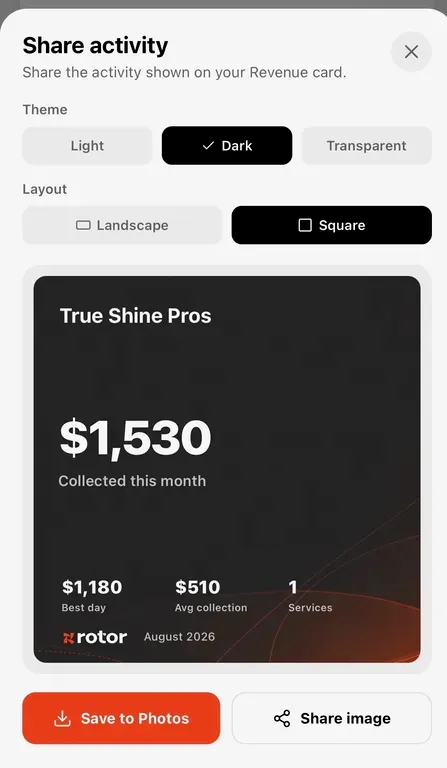
  • Performance Share Card in Mobile: The mobile app now has a interactive performance share card. Stay tuned for additional metrics to be made available to share!

  • V1 of Mobile Personal Performance Page: You can now view personal stats within a date range on mobile. We have a lot of improvements in the works for this page.

  • One-Time vs Service Plan Clean-Up: Now there is more visual separation on web and mobile between One-Time / One-Off Jobs and Recurring Service Plans.

  • Expansions to API: We now support more data surrounding billing cycles and are working on making additional web-hooks available for those using the API.

    Image
    Image

Keep in touch!

If you’re curious about Rotor or would like to learn more, we’d love to meet you!   We feel super blessed to work alongside such a great industry and love helping our companies succeed.  

👉 BOOK TIME WITH US:  https://calendly.com/carson-getrotor/rotor-demo


Follow the journey on Instagram @get_rotor

Have feedback on any of these? We want to hear it. Reach out through the Discord community, the in-app chat, or email us at support@getrotor.com.

Write a comment...

August 17th, 2026

We've made four major updates to Rotor designed to simplify everyday work, improve billing flexibility, and give admins more control over how their teams use Rotor.

ADMINS PLEASE REVIEW:

  • If you use Monthly Billing, Billing Cycles introduce important changes that should be understood before they are released in the next couple of days

Billing Cycles

Coming in the next couple of days

Billing commercial clients doesn't always fit neatly into a standard recurring schedule. Billing Cycles give you more flexibility to manage how and when customers are billed. This is especially helpful when multiple jobs or services need to be grouped into one billing cycle.

Billing Cycles make it easier to:

• Manage billing for commercial and recurring clients

• Group work into the appropriate billing cycle

• Better align invoices with customer billing requirements

• Keep recurring customer billing organized

Important for monthly billing: Admins should review this update so you understand how Billing Cycles work and whether your current setup needs attention.

https://helpcenter.getrotor.com/en/help/articles/9475489-billing-cycles


Job Page on Mobile - SIMPLIFIED

Coming in the next couple of days

We've simplified the Job Page experience on mobile so your team can find what they need and take action faster while they're on the go. Important job information is easier to access, including details that impact billing and getting paid.

What's improved:

• A simpler, cleaner mobile Job Page

• Easier access to important job information in the field

• A more streamlined path from completed work to billing

• Less time navigating and more time getting the job done

Learn more about the Job Page on Mobile:

https://helpcenter.getrotor.com/en/help/articles/8115421-the-job-page-on-mobile


Multi-Property Customers - LIVE NOW

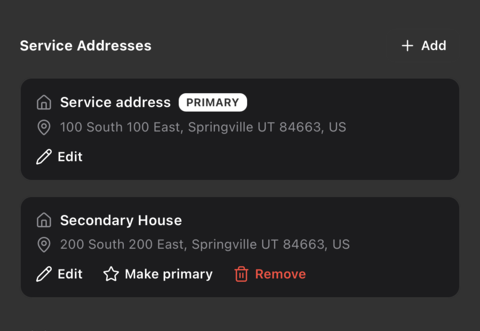
We've improved how Rotor handles customers with multiple service properties. Manage multiple service addresses under the same customer and clearly identify the Primary location.

From Service Addresses, you can:

• Add additional properties

• View multiple service addresses in one place

• Set or change the Primary property

• Edit or remove secondary properties

This is especially helpful for property managers, commercial clients, and residential customers with multiple locations - all managed under one customer.


Service Plan Settings

Coming in the next couple of days

Admins can now customize what is visible when configuring Service Plans, giving you more control over what employees see and use. Keep the experience focused on the information that matters so employees can do the right thing every time.

Service Plan Settings can help you:

• Control which Service Plan options are visible to employees

• Keep the experience focused on what your team actually needs

• Reduce confusion and make Service Plans easier to follow

• Create a more consistent experience across your team


Tap to Pay - LIVE NOW

Tap to pay is now out of Beta testing and available to all Rotor users. Make sure to choose to allow it on your device when prompted. It’ll become an option when collecting payment on an invoice. This is currently for the IOS App only.

Review the Latest Updates

Log in to Rotor and review these updates and articles with your team prior to their release. If you use monthly billing, admins should review the Billing Cycles update to understand how the changes apply to your account.

Reach out to us directly via our in-app support with any questions and we are happy to coordinate. We also likely will be hosting some live office hours in the coming days to help showcase these changes and how they can help grow your business. We’ll post these details in our discord user community.


Keep in touch!

If you’re curious about Rotor or would like to learn more, we’d love to meet you!   We feel super blessed to work alongside such a great industry and love helping our companies succeed.  

👉 BOOK TIME WITH A CO-FOUNDER:  https://calendly.com/noah-getrotor/30min


Follow the journey on Instagram @get_rotor

Have feedback on any of these? We want to hear it. Reach out through the Discord community, the in-app chat, or email us at support@getrotor.com.

- The Rotor Team
Write a comment...

July 25th, 2026

Improved

Schedule

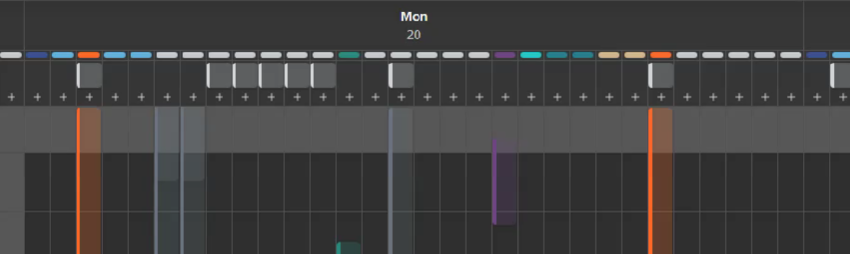
  • Week view group by crews or individuals option

  • View Salesman on the schedule to manage tasks

  • View technicians that are not on a crew, or toggle to individual mode to break apart crews on the view

Scheduling & Job attribution

  • Customize what technicians are assigned to a visit while not affecting crew assignments at all. This will help with reliability of which technicians did what jobs

  • No more job assigned to field. This was removed because it lives on the visit level, modify a visit to change who is attributed the job. It won’t mess up crew assignments anymore

Crew Updates

  • Rearrange the order of crews in schedule settings

  • Change visibility of crews on salesman so they can only view certain crews you allow them to ( on the new user settings page)

  • Technicians do not need to be on a crew anymore, you can schedule them all by themself. While crews remain helpful if you want mutliple technicians to work together regularly

  • Crew-managed availability option: A crew typically joins together availability of all of it’s technicians to show what is available on the schedule. Now if you want you can set it at the crew level. Most helpful for companies who want to strictly manage certain time blocks that can be scheduled on. You can even have an empty crew with availability and then manually assign whoever you need to.

User Settings

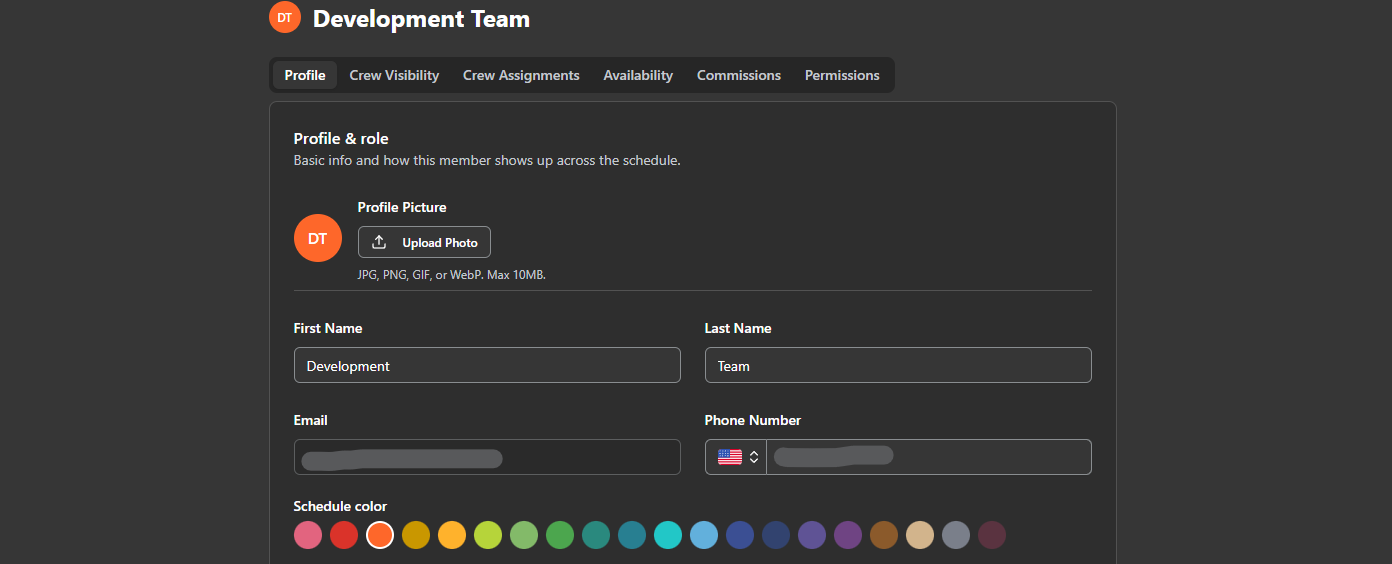
  • Added a user settings page for admins to manage all the details of a user in one place. Go to team settings and click on a user’s row or the button on the end

Other Updates

  • Unassigned sold by service plan filter

  • Job Completed messaging automation

  • Customize manual payment method options in settings → customization

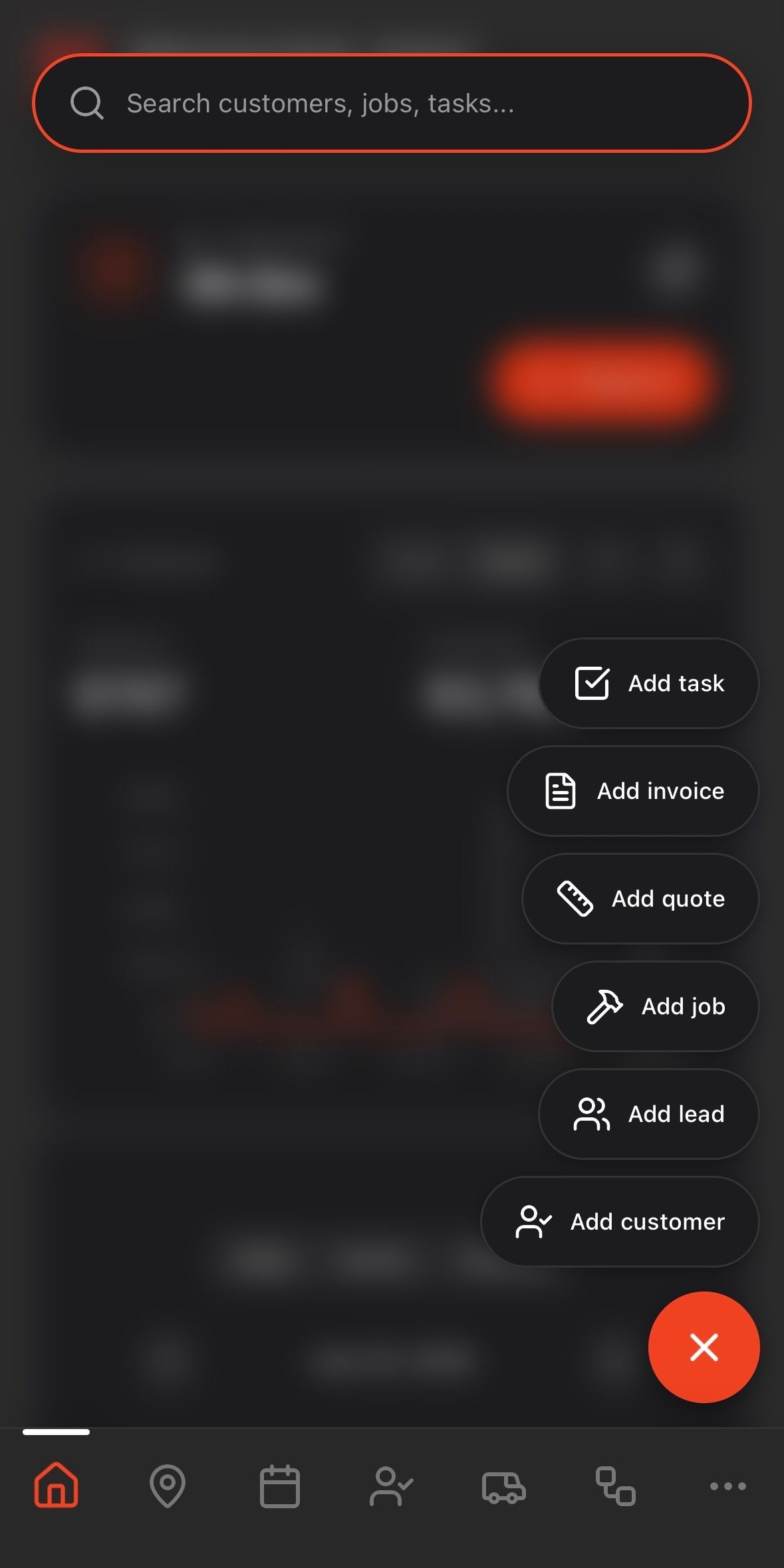
  • Mobile: Global add and search button on home page


Keep in touch!

If you’re curious about Rotor or would like to learn more, we’d love to meet you!   We feel super blessed to work alongside such a great industry and love helping our companies succeed.  

👉 BOOK TIME WITH A CO-FOUNDER:  https://calendly.com/noah-getrotor/30min


Follow the journey on Instagram @get_rotor

Have feedback on any of these? We want to hear it. Reach out through the Discord community, the in-app chat, or email us at support@getrotor.com.

Write a comment...

July 16th, 2026

Hope the summer is going strong for everyone! Before getting into what’s new, there’s a big event today you won’t want to miss….👀

🚨 LIVE EVENT TODAY - Thurs July 16th, 5 PM MT (6 PM CT, 7 PM ET)🚨

James Kryzmowski - Glide Window Cleaning

James Kryzmowski runs Glide Window Cleaning's $10M sales organization that is scaling through service plans sold primarily door-to-door.

Today he is sitting down with us live to talk about Glide’s journey, his crafted D2D pitch, and will be taking your questions in a live Q&A. There is going to be a ton of value on this call. We cannot recommend enough that you carve out the time to make it!

Share it with your friends, the more the merrier. We sponsored to open up this opportunity for everyone!

👉 REGISTER HERE: https://forms.getrotor.com/f/srf5nr9c


What Else We’ve Been Up To

Here are a few of the many noteworthy updates!

  • Claude and ChatGPT MCP: Rotor now connects directly to Claude and ChatGPT. Pull customer, job, and pipeline data into your AI tool of choice without leaving the conversation.

  • Payroll Reporting: The commission tracking rollout continues. Payroll reporting is now live, pulling commission data straight into exportable reports.

  • Pipelines in Mobile: Full pipeline view is now available on mobile. Manage your opportunities from the field, not just the desktop.

  • Improved Sign-Up and Setup: Getting started with Rotor is faster and simpler. Fewer steps, clearer guidance, up and running sooner.

  • Revamped Mobile Leaderboard: The leaderboard got a redesign. Cleaner look, easier to check standings on the go.

  • Offline Maps: Mobile map view now works without a connection. Your team can see routes and job locations even in dead zones. Reach out to us for early access!


Keep in touch!

If you’re curious about Rotor or would like to learn more, we’d love to meet you!   We feel super blessed to work alongside such a great industry and love helping our companies succeed.  

👉 BOOK TIME WITH A CO-FOUNDER:  https://calendly.com/noah-getrotor/30min


Follow the journey on Instagram @get_rotor

Have feedback on any of these? We want to hear it. Reach out through the Discord community, the in-app chat, or email us at support@getrotor.com.

Write a comment...

June 12th, 2026

Hope everyone is having a killer start to their summer! We have been shipping a ton of updates as of late and have some insane things in the works. Before getting into what’s new, there’s a big event Monday you won’t want to miss….👀

🚨 Live Event - Monday June 15th, 4:00PM PST🚨

Ryan Johnson - Reach Window Cleaning

Ryan is a legend in the space. He owns Reach Window Cleaning out of Arizona and has built a consistent 7-figure business from how he runs service plans. This Monday he is sitting down with us live to talk about exactly how he implements them, what's worked, and he'll be taking your questions in a live Q&A. There is going to be a ton of sauce on this call. We cannot recommend enough that you carve out the time.

Share it with your friends, the more the merrier. We paid for his time to open up this opportunity for everyone!

👉 REGISTER HERE: https://forms.getrotor.com/f/ryanjohnsonliveevent


What Else We’ve Been Up To

Here are a few of the many noteworthy updates!

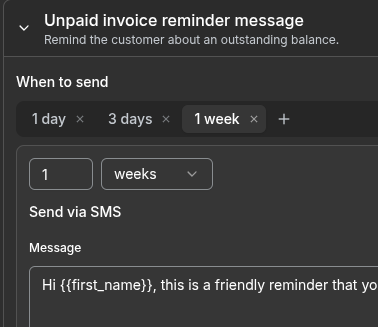
  • Improved Default Message Settings: A big one. You can now set up one-click automated messages for agreement signed, visit started, job cancelled, and more, plus configurable timing for reminders, quote follow-ups, and unpaid invoice nudges. No more need to set up custom workflows for the basics. Learn more here: https://helpcenter.getrotor.com/en/help/articles/4277168-client-messaging-settings

  • Commission Tracking: Initial rollout is live with payroll reporting on the way. Start tracking who's selling what and build out comp structures that actually reward your team for growing the business.

  • Improved Job Checklists: Attach checklists to any job so your team knows exactly what needs to happen on every visit. Clean, simple, nothing slipping through the cracks.

  • Cancellation Reasons on Plans: When a service plan gets cancelled you can now capture why. In depth cancellation and renewal reporting is on the way.

  • Spanish & French Support: Agreements, default messaging, and the client portal now have full native language support for Spanish and French. A huge win for those of you serving non-English-speaking customers.

  • Updated Help Center: Cleaner, more comprehensive, and up to date with everything new. Always the best first stop when you have a question.

Customize Scheduled Messages

Keep in touch!

If you’re curious about Rotor or would like to learn more, we’d love to meet you!   We feel super blessed to work alongside such a great industry and love helping our companies succeed.  

👉 BOOK TIME WITH A CO-FOUNDER:  https://calendly.com/noah-getrotor/30min


Follow the journey on Instagram @get_rotor

Have feedback on any of these? We want to hear it. Reach out through the Discord community, the in-app chat, or email us at support@getrotor.com.

Write a comment...

April 21st, 2026

New

Busy season is upon us and we could not be more excited for what's ahead for everyone building their business on Rotor!

The pace at which Rotor has grown and improved over the past few months is a direct reflection of your continuous feedback and trust. We are extremely grateful to be on this journey with you all and are just getting started🙌🏼

For those of you discovering Rotor for the first time, welcome! We know you are going to love what we have been building.


Mobile Calling is LIVE!

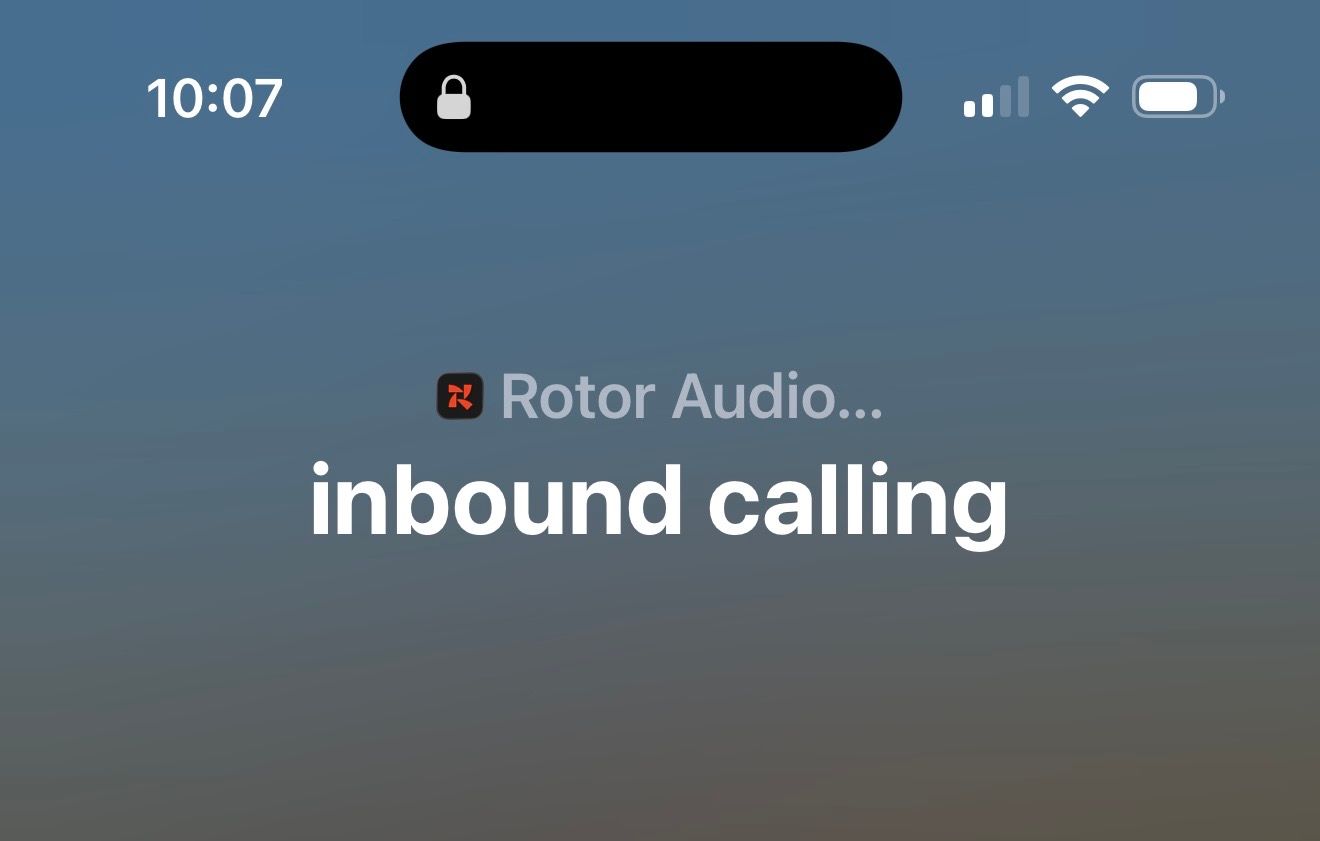
You can now make and receive calls directly through the Rotor mobile app — set up inbound call routing, access voicemail, view your call history, and reach leads or customers without ever leaving the platform. Whether you are in the office or out in the field, your calls are now fully connected to your Rotor workflow.

Mobile Calling is available on all current Rotor plans. If you are on an older or discounted plan and don't see it yet, reach out and we will help get you sorted.

👇🏼 LEARN HOW TO SET UP HERE 👇🏼

Mobile Calling Help Article


What Else We've Been Up To

Among a long list of changes and improvements, here are some of the highlights from the past few months:

New Financials Tab: A completely redesigned financial hub bringing Invoices, Payments, and Payouts together in one place — plus Instant Payouts, Partial Refund handling, and ACH payment support.

Crew Scheduling: Smarter, more visual scheduling built for teams in the field. Coordinating your crew just got a whole lot easier.

Time Tracking: Track time directly within Rotor. Know exactly where your team's hours are going, job by job.

Home Page Rebuild: A faster, cleaner, more actionable home base every time you log in.

Technician & Job Reporting: Deeper insights into how your team and jobs are performing. Finally, the numbers you actually want to see.

Multi-Location Accounts: Scale without losing visibility. Rotor now supports multi-location account structures for businesses managing more than one location.

Expanded Automations & API: Invoice Reminders in workflows, plus new automation triggers that recognize actions taken on mobile. Our growing API is also making it easier than ever for teams to integrate Rotor into the tools and workflows they already rely on.

Improved Support for International Businesses: Better defaults and fewer friction points for businesses operating outside of the USA.


Busy Season is Here — Are You Ready?

Schedules are filling up fast and customers are ready to book. There has never been a better time to see what Rotor can do for your business. Whether you are just getting started or ready to take things to the next level, our team would love to show you around!

👉🏼 Book a Demo Call


Have feedback on any of these updates? We want to hear it! Reach out through the discord community, our in-app chat or email us at support@getrotor.com.

Write a comment...

February 13th, 2026

New

Hello Rotor users,

We've been working hard this past month and are excited to announce two new features: Client Portal and Workflows!

We've also fixed numerous bugs and continue to plan ways to make Rotor an even better platform for the long run.

Please submit feedback, bugs, and ideas through our Feedback hub (click the icon next to your profile icon in the top right on desktop).

Learn more about Rotor features by referencing our help center here:

https://helpcenter.getrotor.com/

Client Portal

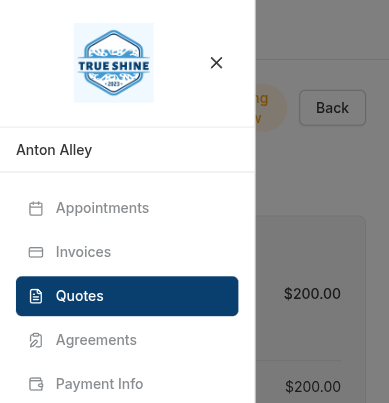
  • Links for Quotes, Invoices, Receipts, Agreements will all log them into the client portal

  • Customers and Leads can see all the Appointments, Invoices, Quotes, Agreements, and their card on file

  • Company subdomains

    • Link previews will show your brand logo

    • Anytime your clients can visit the portal and login via their phone number or email. They can access it at <company-name>.portal.getrotor.com/p/login

Workflows

  • Automations are now workflows

  • Visualize & Build your own automations

  • Customize Triggers & Actions

  • Found under Engagement → Workflows

  • Visualize your pipeline better & when opportunities will move next via automation

We're grateful for your continued support and feedback as we build Rotor together.

-Team Rotor

Write a comment...

January 22nd, 2026

New

Hello Rotor Users!

We are excited to announce some new features that will help as your businesses grow. Navigate to your Analytics page on Rotor to see a bunch of helpful metrics.

Get Help When You Need It

We encourage you to use our in-app chat for feedback or when you get stuck. Find it on the home page (bottom right on desktop) or in the mobile app under More → Help & Support. Our AI assistant has been recently updated and can help with immediate questions, and our team reviews all messages to provide additional support when needed.

Important: Action Required for Meta Users

  • Reconnect your Meta account - Delete your existing integration and reconnect

    • Necessary so we can have permissions on ads

  • Set up Converted Statistic - Configure which lead stages count as converted leads (this calculates based on the lead's projected value field)

Financials

  • Track your Revenue Growth

  • See outstanding balances

  • See Recurring Revenue for the upcoming year

  • Service Plan overview (for those with service plans enabled)

Sales

  • Track how well your business has been selling

  • Track team member performance

  • Track new pins for those using our map feature

Meta

  • Return on Ad Spend

  • Total Ad Spend

  • Clicks

  • Ad Campaign breakdown

Dashboards

  • Multiple Dashboards to track various metrics

  • Widgets to track lead or opportunity stages and tags

  • Track progress in your pipelines

Write a comment...